Linux Storage
Jun 21, 2023
# Linux System’s Filesystem Table
# Special Files
- Block file(b)
- Character device file(c)
- Named pipe file or just a pipe file(p)
- Symbolic link file(l)
- Socket file(s)
# Block Devices
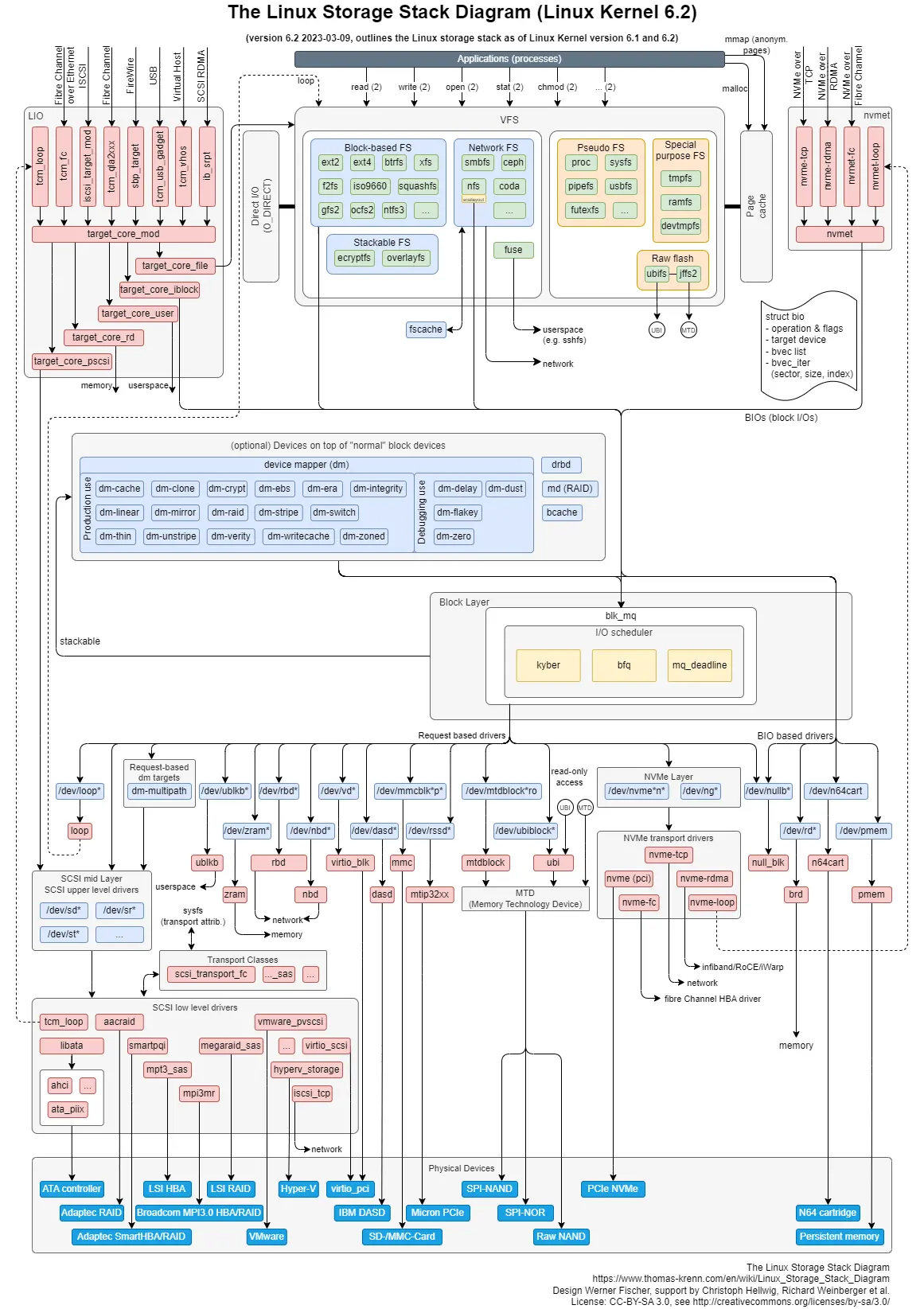
- Block layer provides an interface between the file system and the physical storage device, allowing the file system to read and write data to the device
- Block devices are usually implemented with a File System meant for storing files. Now whenever an userspace application initiates a File O operation (read, write), the kernel in turn initiates a sequence of Block I/O operation through File System Manager. The
struct bio keeps track of all Block I/O transactions (initiated by user app) that is to be processed. That’s what is mentioned here as flight/active regions. - Memory buffers are required by the kernel to hold data to/from Block device.
- The block I/O layer also provides functions that allow the kernel to put data buffers in high memory and implement a “zero-copy” schema, where disk data is directly put in the User Mode address space without being copied to kernel memory first
- BIO.pdf
# Links